Hecho por sysadmins,
para sysadmins.
Built by sysadmins,
for sysadmins.
Distribución Linux basada en Debian 13 (trixie), con las herramientas de red, monitoreo, discos, backups y seguridad ya instaladas y configuradas. Arranca desde USB o se instala. Debian 13-based Linux distribution with networking, monitoring, disk, backup and security tooling already installed and configured. Boots from USB or installs to disk.
Herramientas incluidas Included tooling
Instaladas y configuradas en la imagen. Los recommends de APT están desactivados: solo entra lo que figura explícitamente en las listas de paquetes del proyecto. Installed and configured in the image. APT recommends are disabled: only what's explicitly listed in the project's package lists makes it in.
Acceso remotoRemote access
Remmina con los plugins RDP, VNC y SSH ya instalados (no vienen con el paquete base). Más mosh para enlaces inestables.Remmina with the RDP, VNC and SSH plugins already installed (they don't ship with the base package). Plus mosh for unstable links.
Escritorio XFCEXFCE desktop
Panel único abajo, sin dock ni paginador. Whisker Menu con búsqueda para encontrar herramientas entre las ~950 instaladas.Single bottom panel, no dock or pager. Whisker Menu with search, to find tools among the ~950 installed.
LivianaLightweight
Distribución liviana: sin software innecesario, solo las herramientas que de verdad hacen falta. Rápida, eficiente y enfocada en administradores de sistemas.A lightweight distribution: no unnecessary software, only the tools that really matter. Fast, efficient and focused on system administrators.
Live o instaladoLive or installed
ISO híbrida: se graba a USB y arranca en BIOS o UEFI. El mismo sistema se instala a disco con Calamares.Hybrid ISO: write it to USB, boots on BIOS or UEFI. The same system installs to disk via Calamares.
Qué cambia What's changed
La base es Debian 13 sin modificar. Lo que sigue es todo lo que sudobian agrega o configura por encima. The base is unmodified Debian 13. What follows is everything sudobian adds or configures on top.
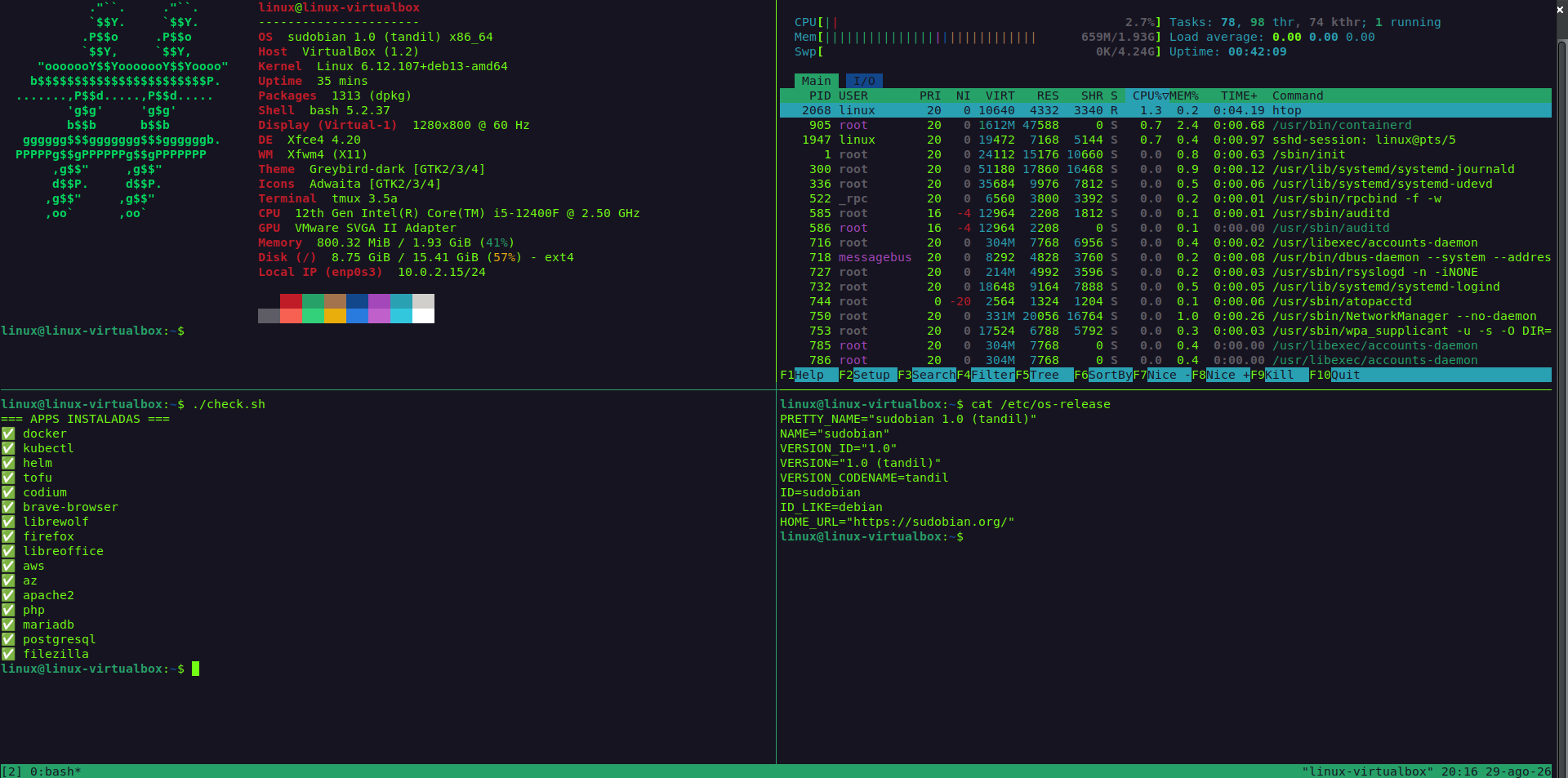
Herramientas de sysadmin preinstaladas: red, monitoreo, discos, backups, seguridad, clientes de bases de datos y scripting. En Debian se instalan a mano.Sysadmin tooling preinstalled: networking, monitoring, disks, backups, security, database clients and scripting. On Debian you install these by hand.
Instalador Calamares en lugar del Debian Installer, con logo, colores, textos y slideshow propios.Calamares installer instead of the Debian Installer, with its own logo, colors, text and slideshow.
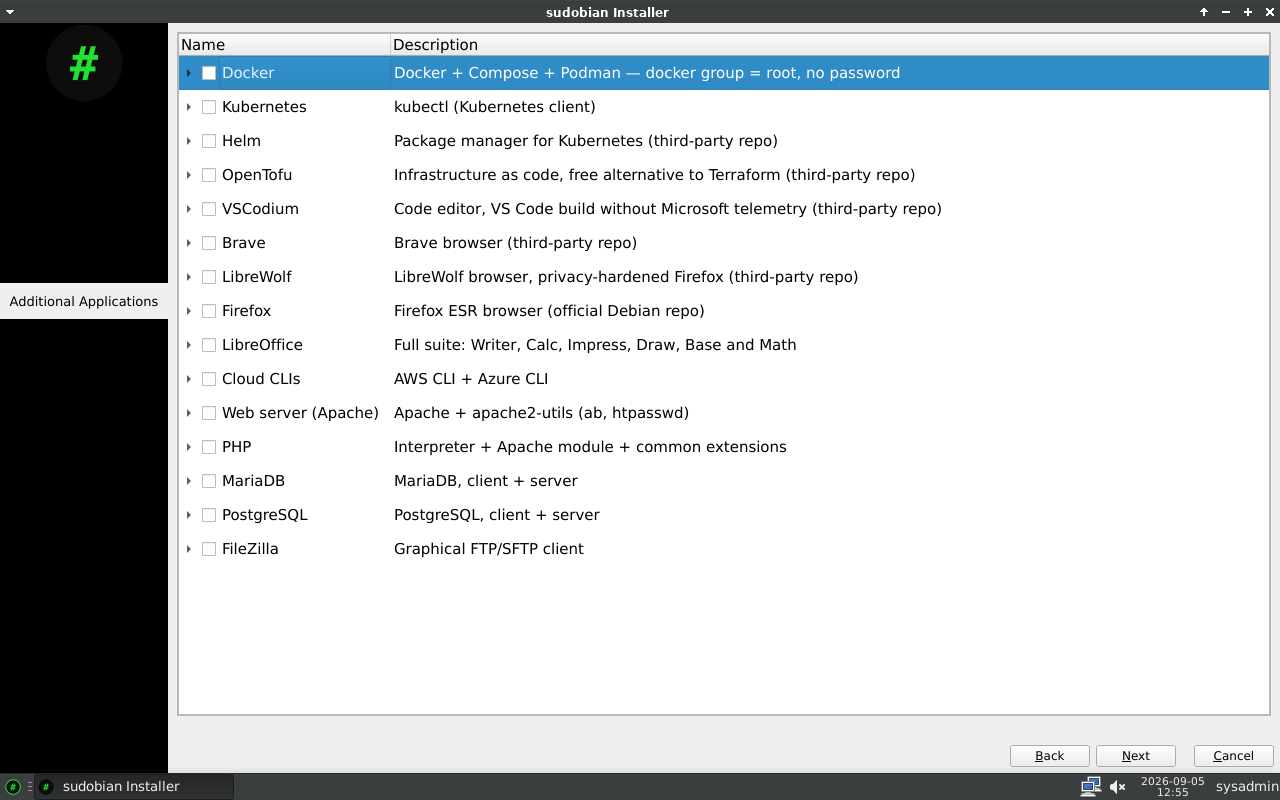
Pantalla de apps opcionales durante la instalación (Docker, Kubernetes, VSCodium y otras). No existe en el instalador de Debian.Optional apps screen during installation (Docker, Kubernetes, VSCodium and others). Not present in Debian's installer.
SSH deshabilitado en el modo live, con contraseña distinta en cada arranque. Activo en el sistema instalado, con la contraseña definida por el usuario.SSH disabled in live mode, with a different password on every boot. Active on the installed system, with the user-defined password.
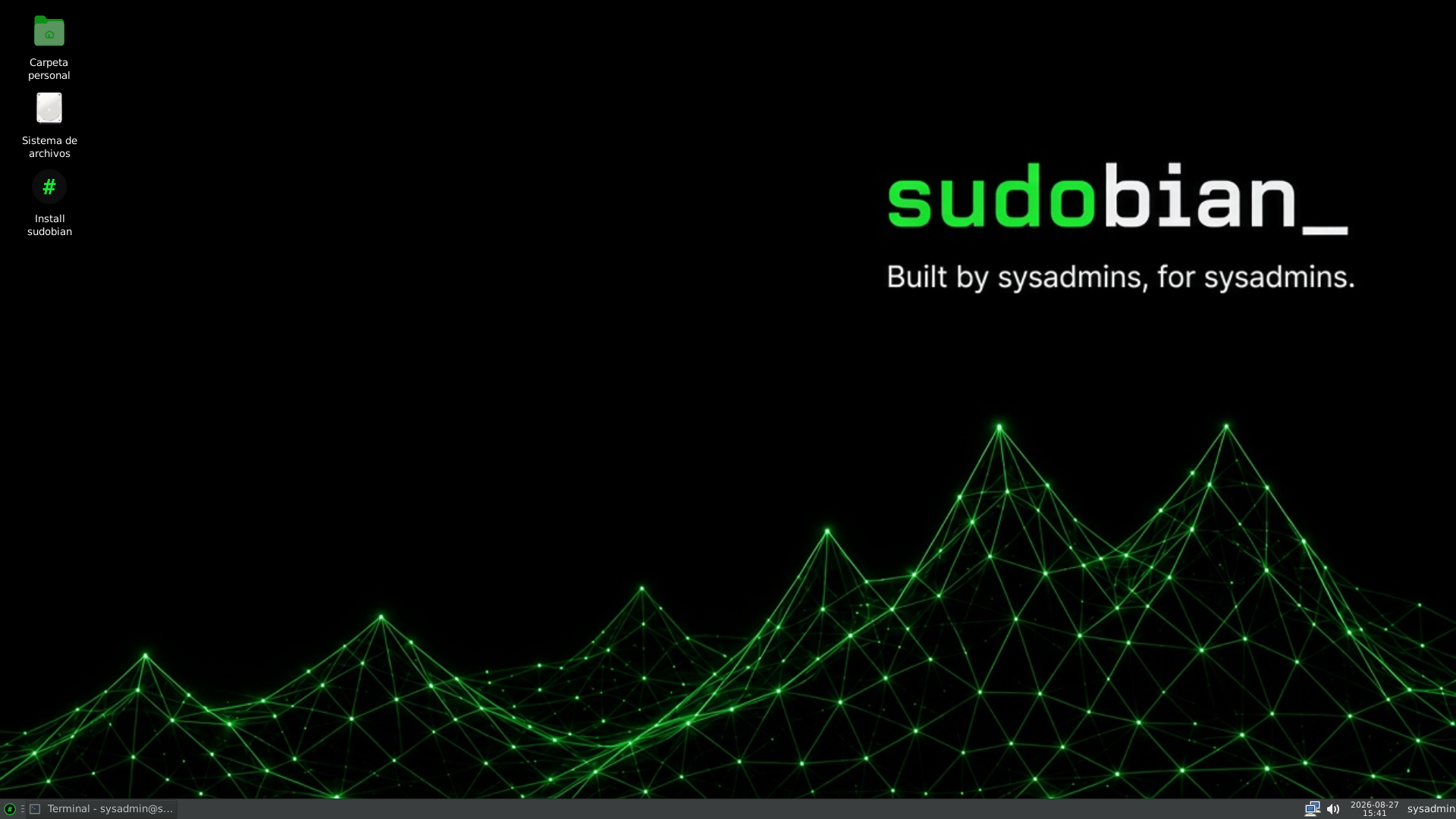
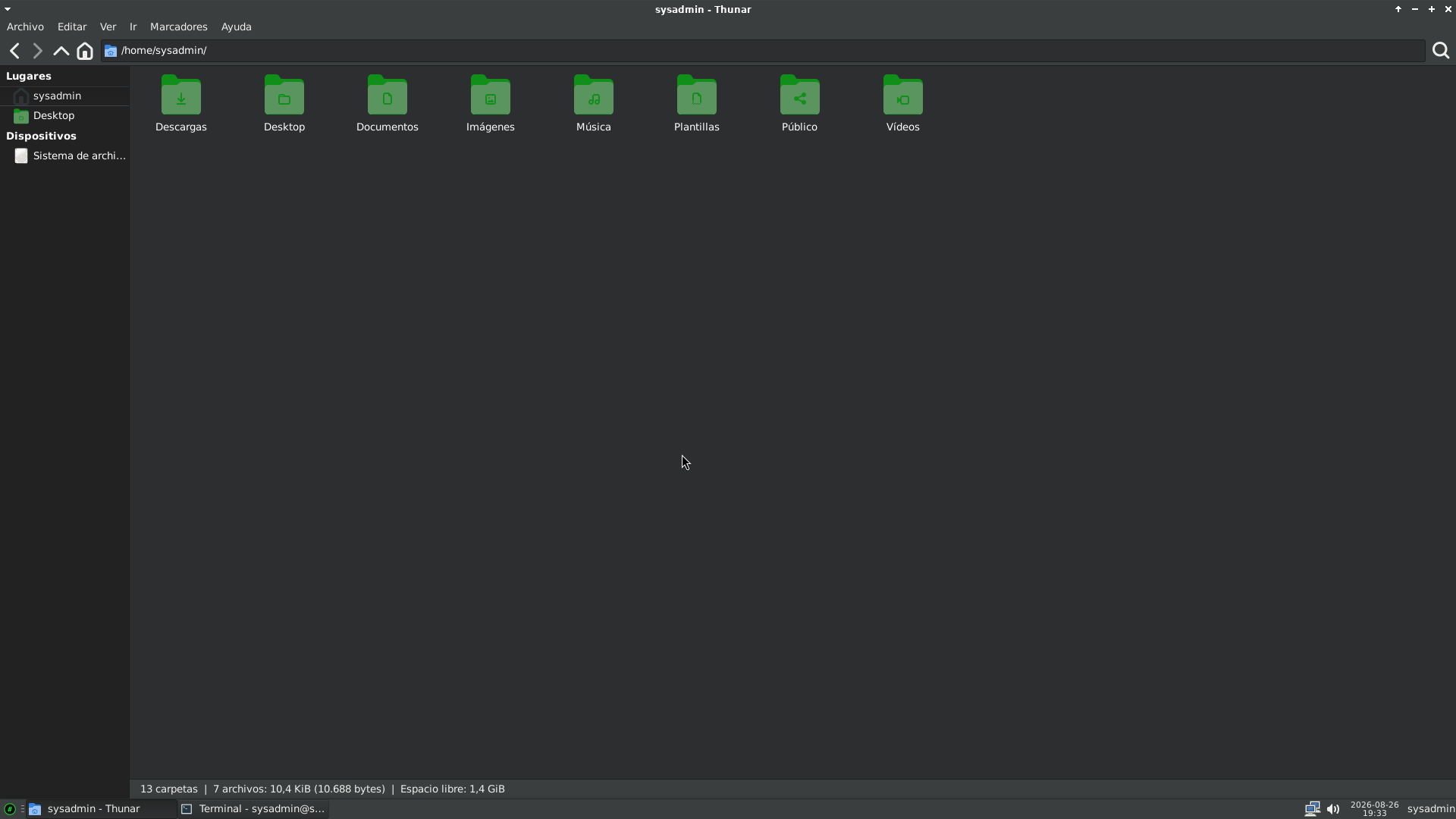
Tema oscuro por defecto (Greybird-dark) e íconos de carpeta en verde, en lugar del tema claro estándar de XFCE.Dark theme by default (Greybird-dark) and green folder icons, instead of XFCE's standard light theme.
Un solo panel, con Whisker Menu y sin selector de escritorios. XFCE en Debian trae dos paneles y un dock inferior.A single panel, with Whisker Menu and no workspace switcher. XFCE on Debian ships two panels and a bottom dock.
Menú de arranque, GRUB, pantalla de login y wallpaper con identidad propia.Boot menu, GRUB, login screen and wallpaper with their own identity.
Comando sysinfo: resumen de red, disco, memoria, carga y servicios en una sola salida.sysinfo command: network, disk, memory, load and services summary in a single output.
Firmware fuera de perfil removido de la imagen (SmartNICs de datacenter, GPUs Tesla, SoCs de móviles, Raspberry Pi). Se conserva el de red y WiFi.Out-of-scope firmware removed from the image (datacenter SmartNICs, Tesla GPUs, mobile SoCs, Raspberry Pi). Network and WiFi firmware is kept.
Repos non-free-firmware habilitados de fábrica y auto-updates configurados, con sudo restringido por diseño en vez de dejar una presentación con sudo sin contraseña.Repos non-free-firmware enabled out of the box and auto-updates configured, with sudo restricted by design instead of shipping an image with passwordless sudo.
Seguridad y acceso en modo live Security and access in live mode
Las ISO live suelen traer un usuario y contraseña fijos, documentados públicamente, con SSH activo desde el arranque. El modo live de sudobian es distinto por diseño: firewall con la entrada cerrada, SSH apagado al arrancar y una contraseña distinta en cada boot. Live ISOs typically ship a fixed, publicly documented username and password, with SSH active from boot. sudobian's live mode is different by design: firewall with incoming closed, network services off at boot, and a different password on every boot.
Firewall por defectoFirewall by default
El firewall arranca con la salida abierta y la entrada cerrada por defecto: nada del exterior entra salvo que se habilite explícitamente, mientras que la salida queda disponible sin fricción.The firewall starts with outgoing open and incoming closed by default: nothing from outside gets in unless explicitly enabled, while outgoing stays frictionless.
SSH deshabilitado en liveSSH disabled in live
El sistema live no habilita acceso remoto por defecto: SSH permanece apagado hasta que se ejecuta sudobian-enable-ssh.The live system doesn't enable remote access by default: SSH stays off until you run sudobian-enable-ssh.
Contraseña por arranquePer-boot password
Cada arranque del modo live genera una contraseña distinta para el usuario sysadmin. Se consulta con sysinfo.Every live boot generates a different password for the sysadmin user. Check it with sysinfo.
Escritorio e instalador Desktop and installer
Instalación a disco Disk installation
El sistema live incluye un instalador gráfico. Se puede probar la distribución sin tocar el disco y, si convence, instalarla desde el mismo escritorio. The live system includes a graphical installer. Try the distribution without touching the disk and, if it convinces you, install it from the same desktop.
- Particionado guiado o manual, con soporte de LVM y cifrado de discoGuided or manual partitioning, with LVM and full-disk encryption
- Detecta otros sistemas operativos y los agrega al menú de arranqueDetects other operating systems and adds them to the boot menu
- Compatible con equipos BIOS y UEFICompatible with both BIOS and UEFI machines
- El usuario y la contraseña se definen durante la instalaciónUsername and password are set during installation
Selección de paquetes al instalar Package selection at install time
El instalador incluye una pantalla para sumar herramientas que no vienen en la imagen. Se descargan durante la instalación. Ningún grupo viene marcado: si no se selecciona nada, no se instala nada. The installer includes a screen to add tools that don't ship in the image. They're downloaded during installation. No group is pre-selected: select nothing and nothing gets installed.
Los paquetes que no están en los repositorios de Debian se habilitan mediante extrepo, que usa definiciones de repositorios curadas por el propio proyecto Debian. Si no hay conexión durante la instalación, este paso se omite y la instalación continúa.
Packages outside the Debian repositories are enabled through extrepo, which uses repository definitions curated by the Debian project itself. With no connection during installation, this step is skipped and the install continues.
Changelog Releases
- Soporte WiFi completo (NetworkManager + applet + firmware)Full WiFi support (NetworkManager + applet + firmware)
- Instalador Calamares personalizadoCalamares installer customized
- Herramientas de rescate: memtest86+, chntpw, gparted, zfsutilsRescue tools: memtest86+, chntpw, gparted, zfsutils
- Defensivas: fail2ban, lynis, rkhunter, chkrootkitDefensive: fail2ban, lynis, rkhunter, chkrootkit
- XFCE personalizadoXFCE customized
- Selección de apps opcionales durante la instalaciónOptional app selection during installation
- Persistencia en USB — conservar cambios entre arranquesUSB persistence — keep changes between boots
- Perfiles alternativos: redes/seguridad y devopsAlternate profiles: networking/security and devops
Escríbenos Get in touch
Para consultas sobre el proyecto o reportar un problema. For questions about the project or to report a problem.
sudobian-1.0-tandil.iso
Debian 13 trixie · amd64 · live + installer · ≈1.0 GB
Graba la ISO con dd o un escritor USB (balenaEtcher, Ventoy, etc.) o directamente en una máquina virtual.
Write the ISO with dd or a USB writer (balenaEtcher, Ventoy, etc.), or directly to a virtual machine.
1372d86cde465864c205f5af8a157d8cd5dad66e6a4fc9111b361eb13e17eaa8